
Quick answer
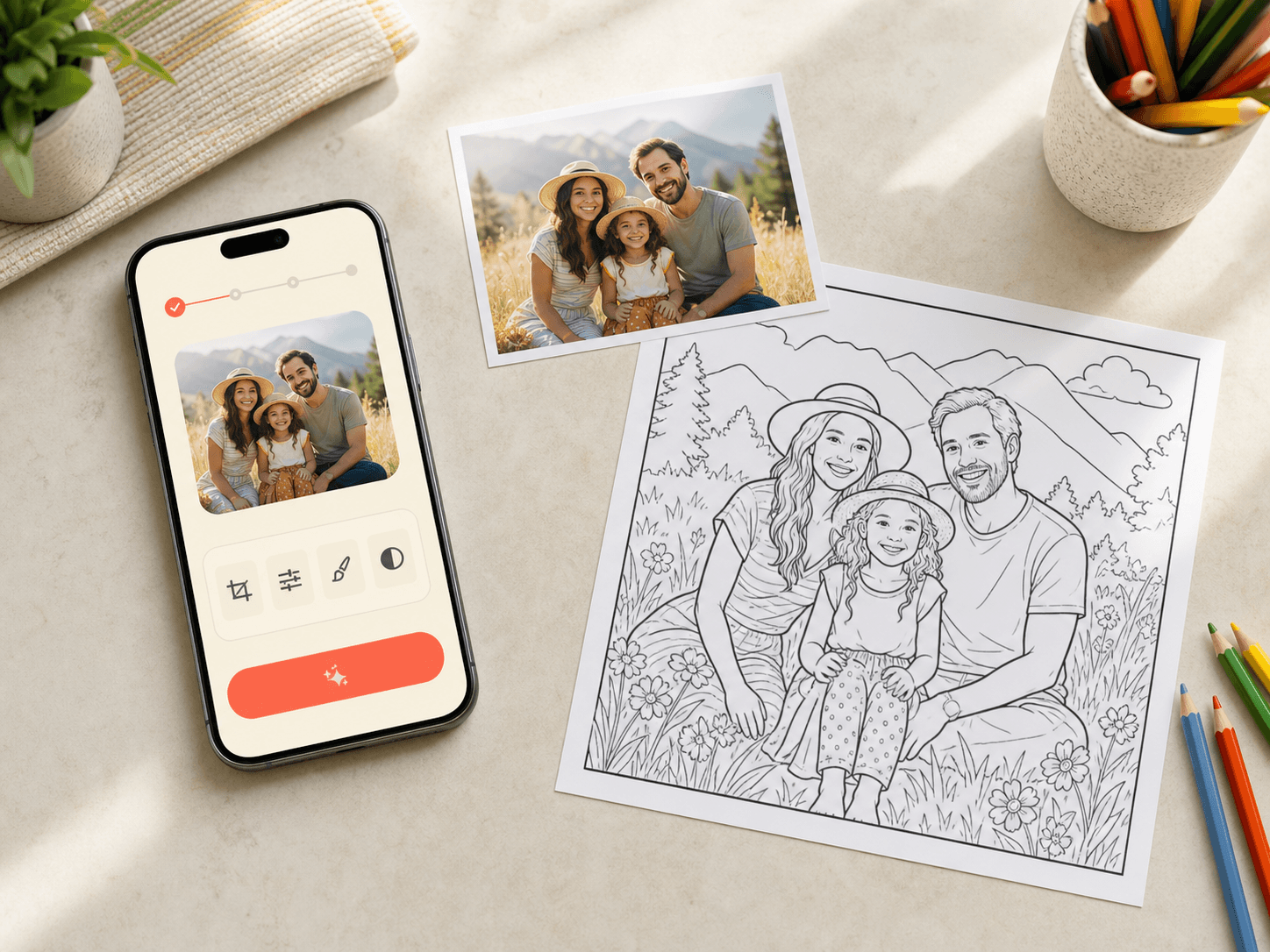
Choose a bright photo with one clear subject, select a detail level for the person who will color it, upload the photo through the parent-facing control, review faces and meaningful objects, then retry with a simpler source or lower detail if the result feels crowded.
- Close, well-lit subjects usually convert more clearly than distant group scenes.
- Background clutter, patterned clothing, shadows, and tiny faces create extra line noise.
- The detail setting should match the desired coloring experience, not only the person's age.
- Always review faces, hands, text, and personal details before saving or sharing the result.
Choose a photo that can become clear line art
Start by asking what must remain recognizable on the finished page. It might be a child's smile, a pet's ears, a favorite stuffed animal, or the shape of a birthday cake. The best source photo makes that subject obvious even when viewed as a small thumbnail.
Good lighting matters because a converter uses contrast and edges to understand the scene. Soft daylight from the front or side is easier to interpret than a face in deep shadow, a bright window behind the subject, or a flash that removes facial detail. The photo does not have to look professional. It needs enough separation between the important subject and everything behind it.
| Photo feature | Usually works well | Often creates problems |
|---|---|---|
| Subject | One person, one pet, or a small close group | A distant crowd with many tiny faces |
| Lighting | Even daylight with visible facial features | Backlighting, hard flash, or deep shadow |
| Background | Plain wall, open sky, lawn, or softly separated room | Shelves, crowds, leaves, fences, or many overlapping objects |
| Framing | Head and shoulders, full pet, or one clear activity | Subject cut off at the face, hands, or meaningful object |
| Clothing | Simple shapes and moderate contrast | Tiny checks, dense text, sequins, or intricate patterns |
| Focus | Sharp enough to see the eyes and outer silhouette | Motion blur, digital zoom, or a compressed thumbnail |
Make a photo coloring page in ColorKind
ColorKind separates the complexity choice from the photo choice so you can decide what kind of page you want before uploading anything. Photo selection and camera access sit behind parent-facing controls. When you are ready to convert a photo, open the photo-to-coloring-page tool and continue in the iPhone or iPad app.
- Open Create and choose a detail level: Little, Simple, Detailed, or Advanced.
- Under Bring the idea, select Use a photo.
- Choose an existing photo or take a new one. Confirm that the preview shows the intended subject.
- Choose US Letter or A4 and select portrait or landscape based on the source composition.
- Make the coloring page, then inspect the result before saving, printing, or sharing it.
Choose detail for the result you want
Age can be a starting point, but the better question is how long and how precisely someone wants to color. A preschooler who wants a five-minute activity needs different line density from an older child making a gift, even when both photos show the same dog.
If a source photo is already visually busy, start one level simpler than you might choose for an original text idea. Lower detail does not make the memory less recognizable. It gives the main silhouette, face, and important objects more room to read clearly.
| Detail level | Visual goal | Useful for |
|---|---|---|
| Little | One large subject, thick outlines, very large open regions | First coloring experiences, short sessions, broad crayons |
| Simple | A few large subjects, bold outlines, limited background | Independent coloring with room for personal additions |
| Detailed | A fuller scene, varied lines, several recognizable objects | Longer sessions and children who enjoy more choices |
| Advanced | Fine linework, patterns, and many smaller regions | Patient colorists, keepsakes, pencils, and careful marker work |
Review the generated page before keeping it
Look at the page first as a whole, then check the details that carry the memory. A recognizable outer silhouette often matters more than matching every fold of clothing or background object. Faces and hands deserve a closer check because small source details can turn into confusing lines.
- Check that the intended people or pets are recognizable without needing the original photo beside them.
- Look for closed coloring regions rather than broken, doubled, or tangled outlines.
- Inspect eyes, mouths, fingers, glasses, jewelry, and any object held near a face.
- Remove or avoid personal text such as school names, house numbers, badges, or license plates before sharing.
- Confirm that the outside artwork fits inside the selected paper orientation.
Fix a result that is too busy or not recognizable
Retrying the same crowded source at a higher detail level often preserves more clutter instead of solving the problem. Change one input at a time so you can tell what improved the result.
| Result | Try next |
|---|---|
| Face is hard to recognize | Use a closer, brighter photo with the face turned toward the camera. |
| Background overwhelms the subject | Crop tighter or choose a photo with more separation from the background. |
| Too many tiny regions | Move down one detail level and remove patterned clothing or scenery when possible. |
| Important object disappeared | Choose a source where the object does not overlap the body or background. |
| Lines look soft or doubled | Use the original sharp photo rather than a screenshot, thumbnail, or digitally zoomed crop. |
| Composition feels cramped | Switch between portrait and landscape or recrop with breathing room around the subject. |
Protect privacy when the photo includes a child
A parent or guardian should choose the photo and decide where the finished page goes. Before uploading, look for details that identify a child or location: a school logo, uniform badge, name tag, street sign, address, medical information, or a document in the background. Crop or choose a different photo when those details are not necessary to the page.
ColorKind uses a compressed copy of the selected photo only after a parent deliberately selects or takes it and confirms the upload. ColorKind's published privacy policy states that it does not keep source photos or pages derived from photos with its telemetry. A temporary local source copy may remain for a quality retry, then clears when the user starts another page, deletes the result, or closes the app.
Keep the result on the device unless there is a reason to export it. When sharing with relatives, a school, or social media, review the generated page as carefully as the original photo. Line art can still preserve recognizable faces, names, locations, or uniforms.
Print or save the page as a keepsake
Save a PDF for predictable Letter or A4 printing. Use the image export when you want to keep the page in Photos, add it to another project, or print it with a custom crop. Print one test copy before using heavier paper or making several copies.
Add the date and a short note on the back after printing rather than placing personal text into the source photo. A second copy can become a grandparent gift, travel-journal page, birthday activity, or side-by-side keepsake with the original photo stored privately.
Frequently asked questions
What kind of photo makes the best coloring page?
Use a sharp, well-lit photo with one clear subject and visible separation from the background. Close portraits, pets, and simple activities usually produce cleaner line art than distant group photos.
Can I use a group photo?
Yes, but keep the group small and close to the camera. Tiny faces and overlapping bodies are difficult to simplify cleanly. Cropping to two or three people often creates a more usable coloring page.
How do I remove a busy background?
Crop tightly around the subject before uploading, use a source with a simpler background, or choose a lower detail level. Those changes are more reliable than trying to preserve every object in a crowded scene.
Is a photo coloring page private?
Review the service's current privacy policy before uploading. ColorKind states that it does not retain source photos or pages derived from photos with telemetry, and it places photo upload behind parent-facing controls.